THE REAL-LIFE BUYING GUIDE
Smart plugs for lamps: a simpler evening routine
Make the evening lamp routine simpler while checking appliance limits, manual controls and shared access.
Buying links currently go directly to official brand sites without affiliate tracking. Read our disclosure.
You walk in carrying groceries, the room is dark, and the lamp switch is buried behind the sofa. This is a strong reason to consider a smart plug. It is also a better starting point than automating every outlet in the house. For a conventional lamp that resumes lighting when power returns, a scheduled outlet can simplify evenings without replacing the fixture. Start with that one practical job.
The quick shortlist
| Your situation | What to look for | The tradeoff |
|---|---|---|
| First lamp | Direct Wi-Fi plug A simple starting point when scheduling one lamp is the goal. | Account, network, and internet requirements vary by model. |
| Existing platform | Compatible hub-based plug Keeps the lamp within familiar household routines. | The hub becomes another cost if you do not already own it. |
| Tight outlet | Compact plug with accessible button Prioritizes neighboring socket access and a usable manual control. | Small dimensions do not guarantee every adjacent adapter will fit. |
Check the lamp switch first
Turn the lamp on, unplug it, and reconnect it. If it comes back on without another button press, outlet control may suit it. Electronic touch controls can behave differently, so read the lamp instructions. A switching plug does not automatically add dimming or color adjustment. The lamp itself must remain in the appropriate state for the plug's routine to work.
Measure the outlet clearance
A chunky plug can block the neighboring socket. Measure behind the cabinet and beside any existing power adapter. A side-facing outlet may be more convenient in a narrow gap. Keep the physical button reachable for somebody who does not use the app. Buy for the actual room rather than a product photograph showing an empty wall.
Choose the connection you can support
Direct Wi-Fi can suit a first device without a hub. A compatible hub-based plug can make sense in a home already using that platform. Matter is worth considering for controller choice, but check the exact model and supported features. Do not assume that a connection badge explains every controller or border-router requirement.
Make the routine predictable
An evening schedule and a manual off control may be all a reading corner needs. Test power-restoration behavior and what happens when internet access is unavailable. Explain the controls to the household. If someone keeps switching off the lamp itself, the automation may appear broken. Choose understandable operation before an elaborate collection of app scenes.
Spend on fit before energy extras
Energy monitoring is not automatically valuable for a small lamp. Prioritize outlet access, straightforward controls, and the connection your home supports. Check electrical ratings and intended indoor or outdoor use. This guide concerns lighting; do not generalize it to heaters, cooking equipment, medical devices, or other loads with different operating requirements.
Check the exact version before ordering
Product families can contain versions with different connections, included accessories, or regional requirements. Open the official manufacturer's current information and compare the model identifier with the item in your basket. Read the setup and compatibility instructions before paying. A discount is less useful if the missing accessory costs more than expected or the device cannot join the system you already use. Include batteries, mounting parts, hubs, and any ongoing service in the total cost.
Choose a seller with clear return terms, and keep the packaging until you have checked physical fit, setup, and the everyday controls. Use the manufacturer's supported installation method rather than improvising around a missing bracket or an unsuitable power supply. If the setup is more complicated than the job it solves, a simpler conventional product may be the better purchase.
How these recommendations were made
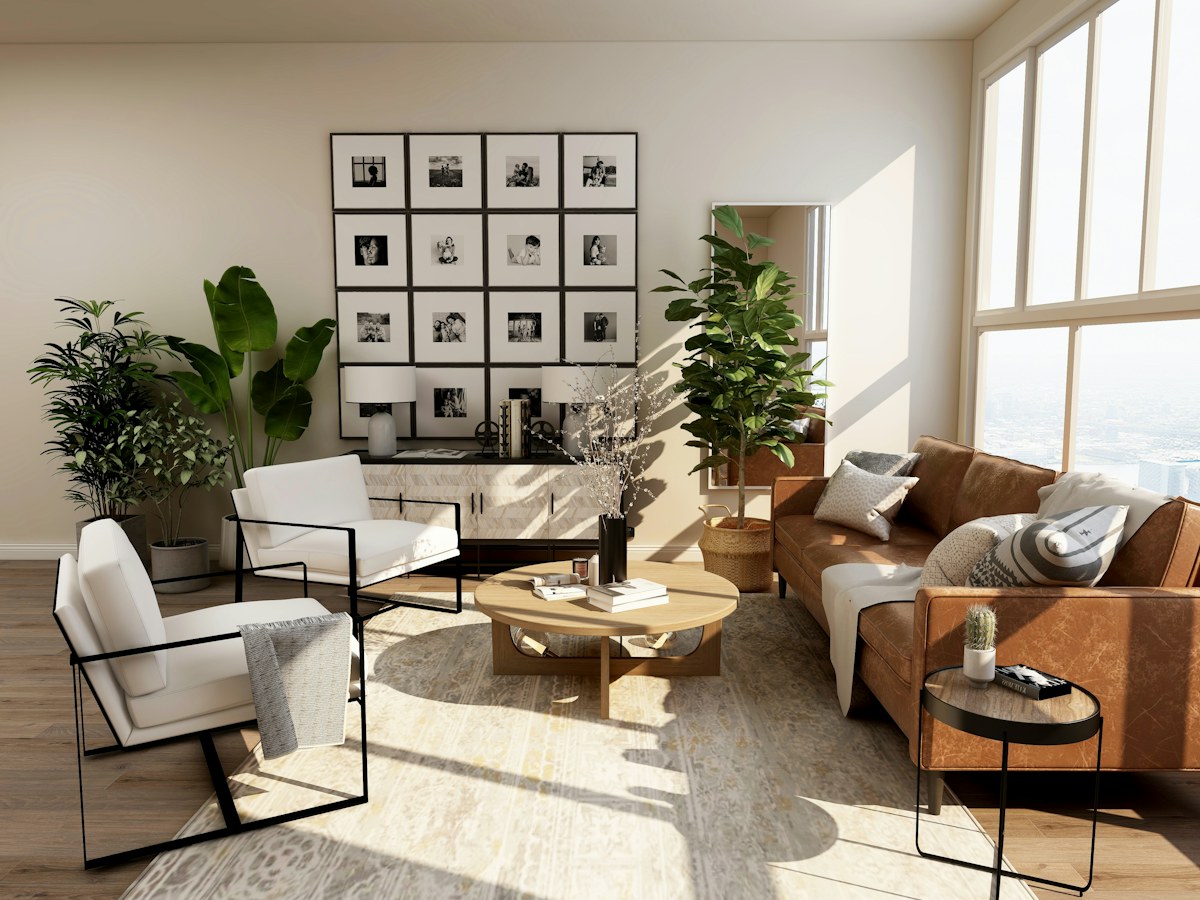
This is a scenario-based buying guide informed by published manufacturer resources. It does not claim hands-on testing, measured performance, or a numerical product ranking. The recommendations explain which product type may fit a household routine and where the tradeoffs arise. Follow the source links to check the current product range and exact requirements; availability and feature support can change. An editorial scene illustrates the setting, rather than proving that a particular model has been tested there.
Compare the official options
Use these manufacturer pages to confirm the exact model, compatibility, return terms and current price. A range may include products with different features; check the individual listing before buying.
Browse TP-Link smart plug catalog ↗Common questions
Can a plug dim a lamp?
An ordinary switching plug is not a dimmer. Choose an explicitly supported dimming product and compatible lamp if that is the goal.
Should I buy a multipack?
Try one first. Check setup, physical clearance, and household acceptance before buying identical plugs for more rooms.
Is monitoring necessary?
Only when you have a clear measurement question. Do not pay for extra reporting simply because it appears in the feature list.
Sources & further reading
Manufacturer sources are linked below. Recommendations about fit are editorial judgments; specifications and availability can change.
Photography: Unsplash license. View image source.
Spotted an error? Send a correction.
Keep Exploring
Smart bulbs for renters: upgrade the light, keep the lease simple
Choose useful lighting without replacing fixtures or making everyday switches harder to use.
Read the guide →
Robot vacuums for pet homes: buy for the daily mess
Match floor care to pet hair, clutter and the maintenance you can realistically keep up with.
Read the guide →
Video doorbells for apartments: start with permission and placement
Check permission, mounting, power and subscription costs before adding a camera to a shared entrance.
Read the guide →