THE REAL-LIFE BUYING GUIDE
Earbuds for Work Calls: Look Beyond the Microphone Count
Find earbuds that suit calls at home, between meetings and outside.
Buying links currently go directly to official brand sites without affiliate tracking. Read our disclosure.
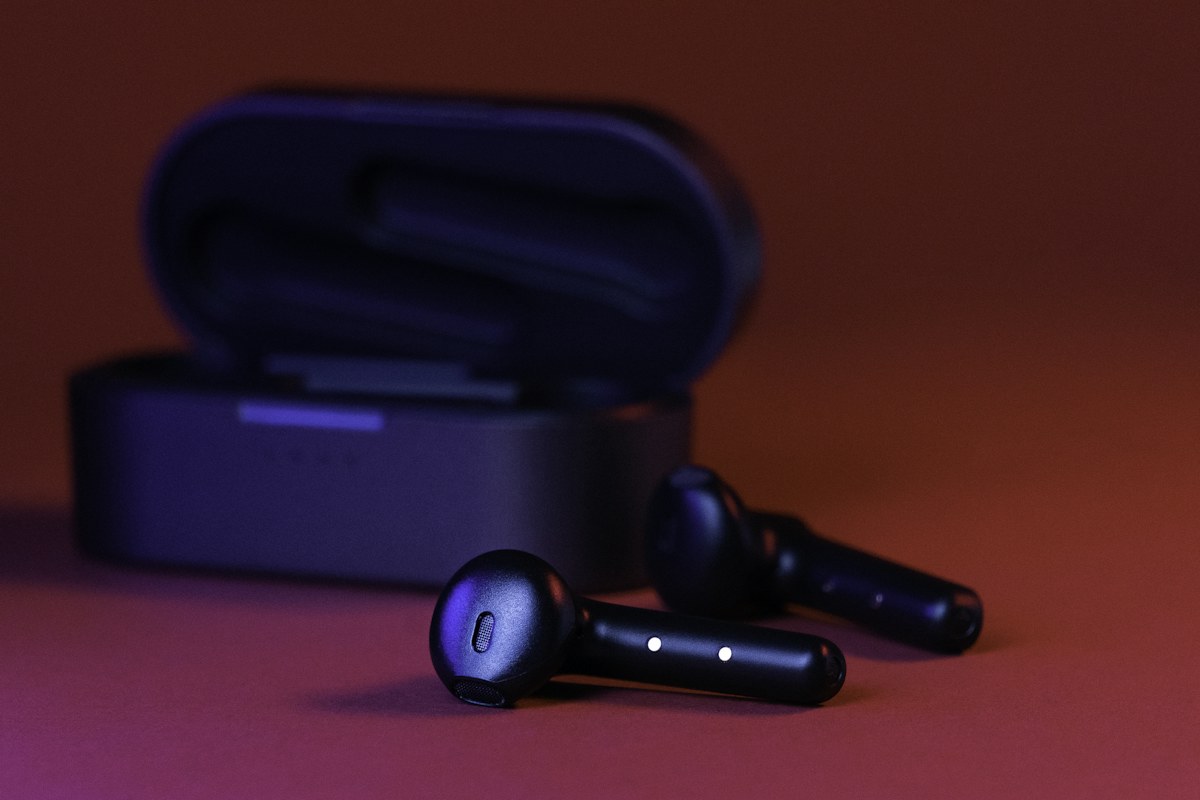
The same earbuds can sound clear during a quiet kitchen call and struggle when you step outside to meet a delivery driver. That does not make microphone count a helpful shortcut. Position, processing, fit, wind and the calling application all affect what the other person hears. For a mixed workday, begin with connection reliability, a comfortable fit and an easy mute workflow. This is a research-led buying guide, not a microphone test. Choose a pair you can evaluate with your actual laptop and phone while returns remain available, and keep a wired option for meetings where a failed connection would be costly.
The quick shortlist
| Your situation | What to look for | The tradeoff |
|---|---|---|
| Home-office choice | Comfortable sealed earbuds Compact enough for desk work when isolation and easy storage matter. | Your voice may sound less natural to you with a tight seal. |
| Household-aware choice | Open-fit earbuds Lets you stay more aware of someone speaking nearby. | Less isolation and suitability depends on fit. |
| Meeting-heavy alternative | Headset with a boom microphone Brings the microphone nearer your mouth and can simplify muting. | Less discreet and inconvenient for a small pocket. |
Map your calling routine
Consider how much of the day is spent at a desk and how much is spent moving. Sealed earbuds can make a busy room feel calmer, while an open design may feel more natural when you need to hear the household. Neither style guarantees clearer outgoing speech. If your main problem is typing noise or a partner talking nearby, a boom-microphone headset may be a better purchase than a more expensive pair of tiny earbuds.
Check your two devices together
Easy pairing does not necessarily mean the earbuds can maintain two active connections. Read the exact device-switching instructions and any limits on supported operating systems. Then practice a realistic handoff: play audio on the laptop, receive a phone call, finish it and return to the meeting application. Some features depend on an account, companion software or a particular phone family, so check these requirements before treating them as part of the purchase.
Make muting predictable
A gesture on an earbud and the mute button in a meeting app may operate independently. That is a usability issue when you need to answer someone in the room. Look for a documented call-control layout and visible status inside the app you use. During setup, ask a colleague to confirm when they can hear you. Avoid assuming that removing one earbud always mutes the microphone; playback detection and microphone control are different functions.
Plan uninterrupted call time
A case can extend total listening time, but it cannot recharge an earbud while that earbud is in your ear. Your uninterrupted meeting block therefore matters more than the combined case figure. Check the manufacturer's call-time notes and whether either earbud can work independently. If you regularly schedule consecutive calls, plan charging breaks or keep a separate headset at the desk. A larger battery claim does not replace having a reliable fallback.
Try the calls you actually make
Use manufacturer information to narrow choices by fit, controls and supported connections. Sony publishes several earbud families alongside its over-ear range, making the official pages a starting point for feature checks. Before you settle, record a short sample in your usual room and make a call outside. These are your acceptance checks, not our test results. Keep the pair only if the people you call can hear you consistently in your routine.
A final everyday-use check
Write a small acceptance checklist before delivery: laptop call, phone call, outdoor call, mute confirmation and a complete device handoff. This keeps a shiny new feature from distracting you from the original problem. If one essential calling workflow fails repeatedly, use the return period rather than rearranging your working day around the earbuds.
Compare the official options
Use these manufacturer pages to confirm the exact model, compatibility, return terms and current price. A range may include products with different features; check the individual listing before buying.
Browse Sony official earbuds and headphones ↗Common questions
Do more microphones mean better calls?
No. Count alone does not describe processing, positioning or performance in your room.
Can I use one earbud?
Check the exact model instructions; independent use and controls differ.
What should I test first?
Make a call on your laptop, confirm mute behavior, then repeat on your phone in a second environment.
Sources & further reading
Manufacturer sources are linked below. Recommendations about fit are editorial judgments; specifications and availability can change.
Photography: Unsplash license. View image source.
Spotted an error? Send a correction.
Keep Exploring
Noise-Cancelling Headphones for the Everyday Commute
Choose commuting headphones around comfort, awareness, controls and your everyday bag.
Read the guide →
A Portable Speaker for the Kitchen, Patio and Weekend Bag
Match speaker size, controls and protection to where your music actually goes.
Read the guide →
A Home-Office Webcam That Makes Everyday Calls Easier
Spend on framing, mounting and lighting before chasing a larger resolution number.
Read the guide →