THE REAL-LIFE BUYING GUIDE
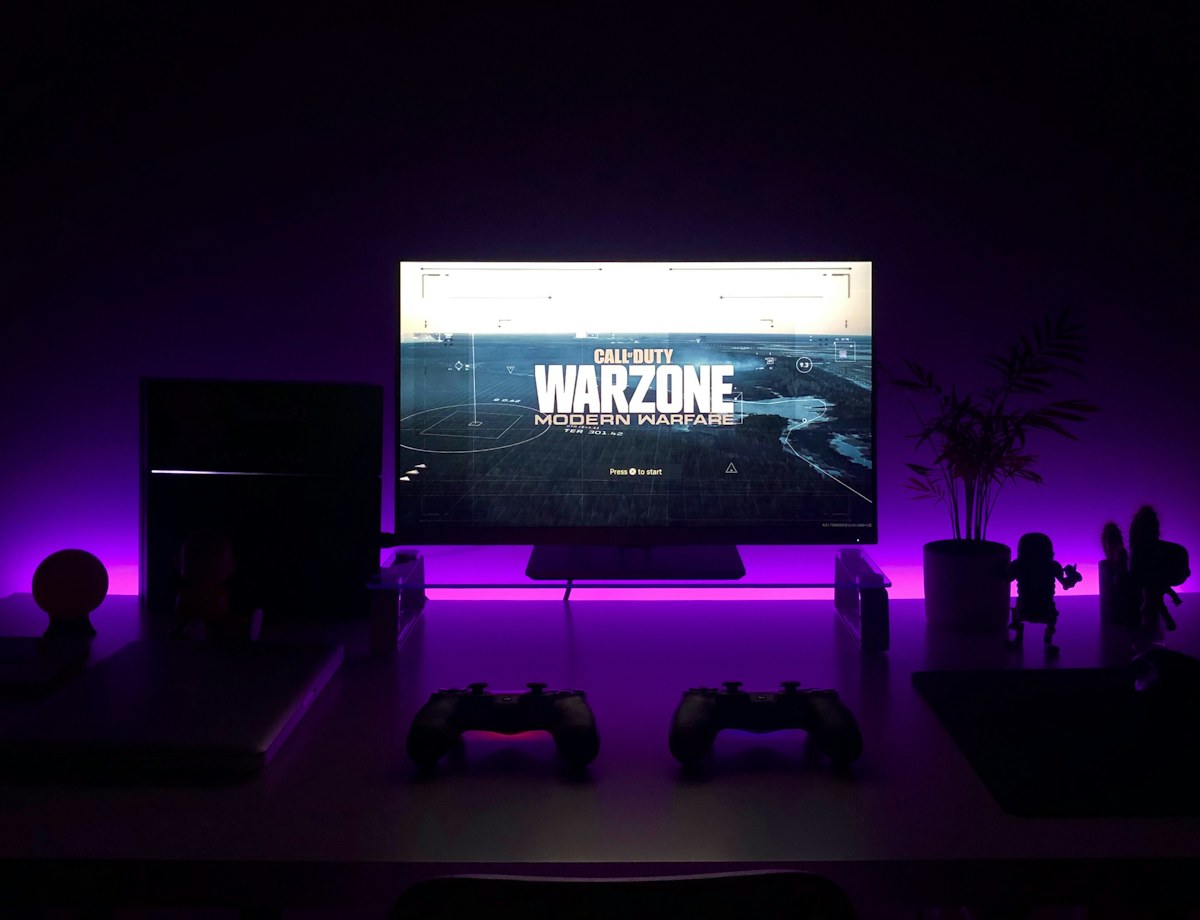
A Gaming Headset for a Shared Room
Choose comfort, reliable chat and platform compatibility before optional effects.
Buying links currently go directly to official brand sites without affiliate tracking. Read our disclosure.
A shared-room headset has two jobs: let you enjoy games without filling the room with sound, and let other players hear you without hearing the household. Comfort and microphone control deserve as much attention as audio features. Begin with your console or computer and the connection you will use. This research-led guide does not claim measured sound quality or competitive advantages. Favor a comfortable fit, clear muting and documented compatibility. Expensive surround labels and lighting should come later, if they serve a preference. A simpler headset can be the stronger purchase when it makes every session easier.
The quick shortlist
| Your situation | What to look for | The tradeoff |
|---|---|---|
| Fixed-seat choice | Comfortable wired headset Straightforward when you stay near the controller or desk. | Cable routing and input compatibility matter. |
| Flexible-room choice | Compatible wireless headset Useful when movement is part of normal use. | Needs charging and precise compatibility checks. |
| Existing-headphones alternative | Separate computer microphone May solve chat without replacing headphones you like. | Less convenient for consoles and adds a device. |
Verify the exact connection
A headset that works with one console may not support every function on another. Controller inputs, USB connections and proprietary wireless systems have different requirements. Read the exact compatibility list, including chat, volume controls and software support. If you switch between computer and console, plan both connections. A universal-looking connector does not establish that every feature behaves the same way. Check what adapters are included and whether any optional accessory is necessary for your second platform.
Choose comfort for a normal session
Weight, earcup space, pads and clamping pressure determine whether you want to keep wearing the headset. Glasses change fit, and a warm room can make some materials less appealing. Shop with sensible returns and try a normal session instead of a few minutes. Replacement pads may help longer ownership, but availability differs. A comfortable simple headset is more useful than a feature-rich one you remove early. Consider where it will rest between sessions so the microphone boom is protected.
Make microphone habits easy
A flip-up microphone, button or detachable boom can be convenient, but status should be clear. Check what mutes the microphone on your platform. Position the boom according to instructions rather than against your mouth. When someone in the room speaks, you should be able to mute quickly without game menus. Processing cannot promise to remove a loud nearby conversation. During setup, ask another player to confirm your level and whether normal desk sounds are distracting.
Decide whether wireless is worthwhile
Wireless gives freedom to move but introduces charging and a receiver or pairing process. Check use while charging and whether the cable carries audio or just power. A wired headset avoids battery management and can be simpler for a fixed seat. If wireless appeals, plan a charging location you will use after playing. A large battery claim cannot solve forgetting to charge indefinitely. Check whether switching devices requires moving a dongle, changing settings or using another connection mode.
Buy useful features first
Logitech G distinguishes connections and platform features across its official headset range. Use current model pages for compatibility, controls and included accessories. Consider whether existing headphones plus a microphone already meet your needs. Skip lighting or virtual surround upgrades if comfort and chat are the problems. Keep spending proportional to play time and equipment. Test your actual games and chat application during returns, and keep packaging until both the connection and fit work through several ordinary sessions.
A final everyday-use check
Check the balance between game sound and chat at a comfortable listening level before joining a group. Learn which controls affect each source on your platform. Store the headset so the cable and microphone are not bent under other objects, and establish a charging habit if you choose wireless. Everyday care supports a sensible long-term purchase.
Compare the official options
Use these manufacturer pages to confirm the exact model, compatibility, return terms and current price. A range may include products with different features; check the individual listing before buying.
Browse Logitech G official headset range ↗Common questions
Does wireless work with every console?
No. Verify model and connection for your platform.
Does surround guarantee better gaming?
No. Treat it as optional after fit, connection and controls.
Can it handle work calls?
Confirm computer support and try your meeting app during returns.
Sources & further reading
Manufacturer sources are linked below. Recommendations about fit are editorial judgments; specifications and availability can change.
Photography: Unsplash license. View image source.
Spotted an error? Send a correction.
Keep Exploring
Noise-Cancelling Headphones for the Everyday Commute
Choose commuting headphones around comfort, awareness, controls and your everyday bag.
Read the guide →
Earbuds for Work Calls: Look Beyond the Microphone Count
Find earbuds that suit calls at home, between meetings and outside.
Read the guide →
A Portable Speaker for the Kitchen, Patio and Weekend Bag
Match speaker size, controls and protection to where your music actually goes.
Read the guide →